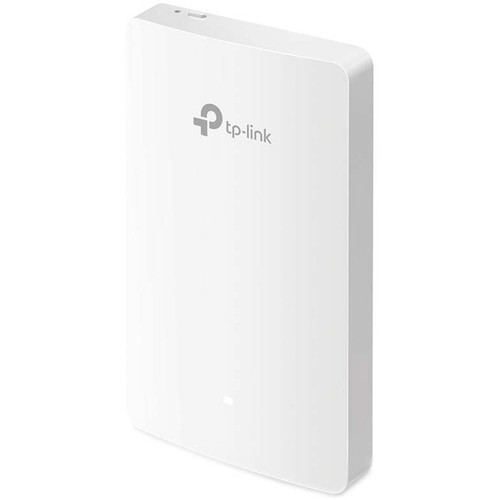






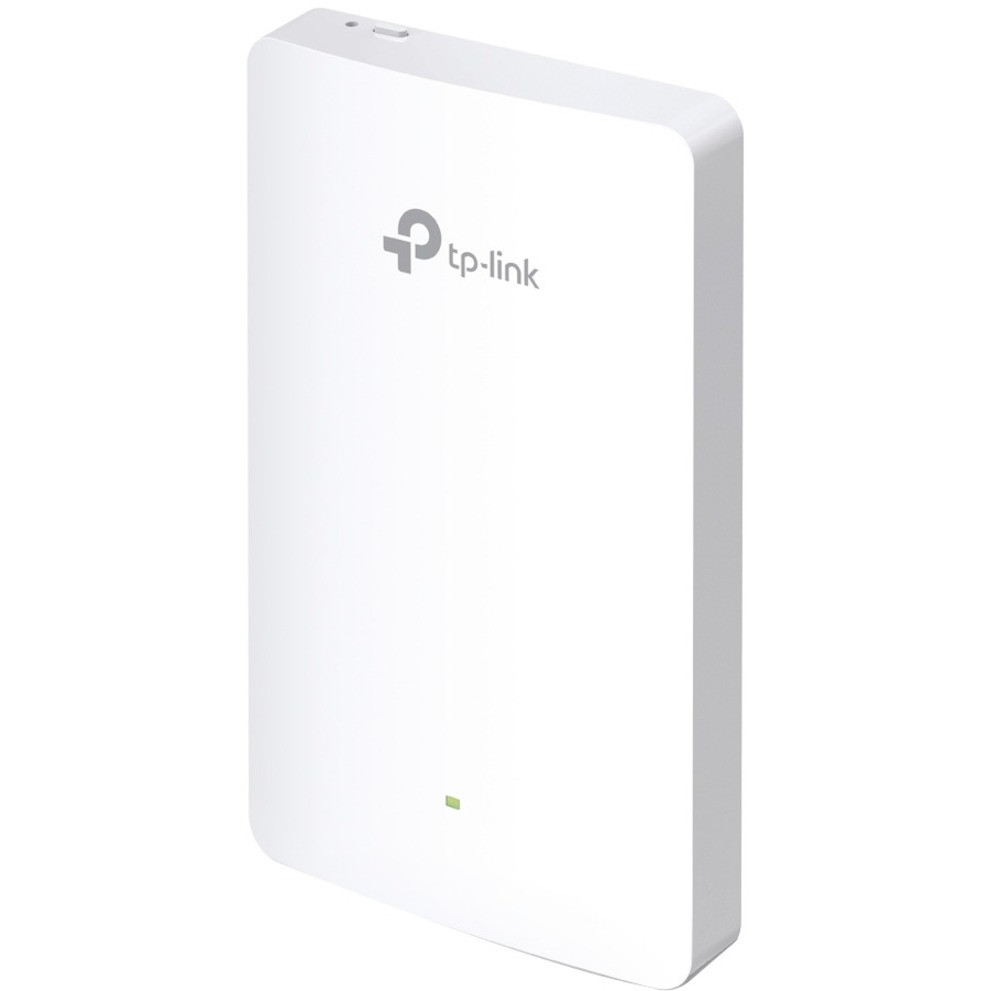
TP-Link EAP225WALL. 2.4 GHz, 5 GHz, Maximum data transfer rate: 867 Mbit/s. Security algorithms: 64-bit WEP, 128-bit WEP, 152-bit WEP, WPA, WPA-PSK, WPA2-Enterprise, WPA2-PSK. Ethernet LAN data rates: 10,100 Mbit/s. Power over Ethernet (PoE). Product colour: White. Power consumption (max): 25.5 W
Complete In Room Wi-Fi Coverage
An EAP in each room guarantees a strong wireless signal and allows guests to enjoy their own private Wi-Fi network.
Effortless Deployment and Scalability
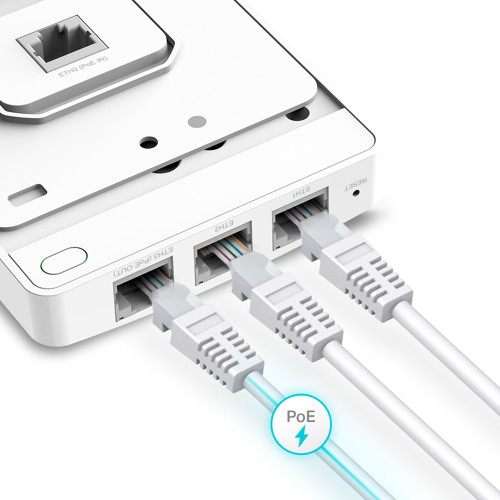
With 802.3af/802.3at Power over Ethernet supported there’s no need to install additional wiring in the building. Simply plug in existing Ethernet cables and you’re ready to go.
Installation Made Easy
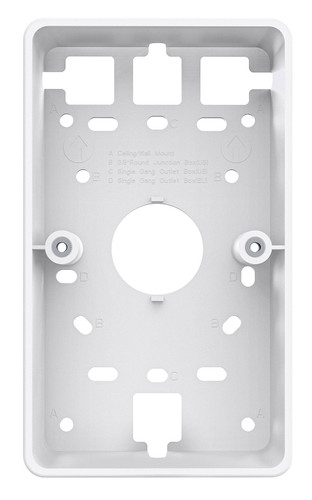
Upgrade Ethernet wall jacks to high-performance Wi-Fi access points. The EAPs can be fitted to existing EU or US wall junction boxes, making installation quick and non-disruptive.
Three Ethernet Jacks, One PoE Outlet
More than just a wireless access point, EAP225-Wall acts as a switch and provides three standard Ethernet jacks together with a Power over Ethernet outlet, capable of powering wired devices such as IP phones, IP cameras, intercoms and more.
Blends Into Your Wall
The EAP225-Wall wireless access point blends into any business setting with a refined, minimalist appearance.
Gigabit Wi-Fi Speeds with MU-MIMO Technology
EAP225-Wall delivers combined dual-band speeds of up to 1200Mbps. Armed with the latest 802.11ac Wave 2 MU-MIMO technology, it can exchange data with multiple clients at the same time to allow more devices to connect without any slowdown to the network.
Cloud Management – Anywhere, Anytime
Omada offers cloud access to its centralized management platform. Take your network with you, wherever you go.
Cloud Service under Easy Control
Convenient Management with remote access
Multi-Site Management for large scale network
Documents
Specifications
| General | |
|---|---|
| Brand | TP-Link |
| Manufacturer part number | EAP225-Wall |
| HSSL part number | UK-TPL-EAP225-Wall |
| UPC / GTIN | 0845973099794 |
| Product type | Wireless Access Points |
| Features | |
| 2.4 GHz | Yes |
| 5 GHz | Yes |
| Maximum data transfer rate | 867 Mbit/s |
| Maximum data transfer rate (2.4 GHz) | 300 Mbit/s |
| Maximum data transfer rate (5 GHz) | 867 Mbit/s |
| Ethernet LAN data rates | 10,100 Mbit/s |
| Automatic channel scanning | Yes |
| MIMO | Yes |
| MIMO type | Multi User MIMO |
| Rate limiting | Yes |
| Quality of Service (QoS) support | Yes |
| Security | |
| Security algorithms | 64-bit WEP, 128-bit WEP, 152-bit WEP, WPA, WPA-PSK, WPA2-Enterprise, WPA2-PSK |
| MAC address filtering | Yes |
| Management features | |
| Web-based management | Yes |
| Ports & interfaces | |
| Ethernet LAN (RJ-45) ports | 3 |
| Power | |
| Power over Ethernet (PoE) | Yes |
| Power consumption (typical) | 9 W |
| Power consumption (max) | 25.5 W |
| Design | |
| Placement | Wall |
| Product colour | White |
| Reset button | Yes |
| Antenna | |
| Antenna type | Internal |
| Antenna features | Integrated antenna |
| Antennas quantity | 2 |
| Antenna gain level (max) | 4 dBi |
| Certificates | |
| Certification | FCC, RoHS |
| Weight & dimensions | |
| Width | 86 mm |
| Depth | 19.7 mm |
| Height | 143 mm |
| Packaging content | |
| Quantity per pack | 1 pc(s) |
| Mounting kit | Yes |
| Quick start guide | Yes |
| Operational conditions | |
| Operating relative humidity (H-H) | 0 - 40% |
| Operating temperature (T-T) | 10 - 90 °C |
| Storage temperature (T-T) | -40 - 70 °C |
| Storage relative humidity (H-H) | 5 - 90% |
Specifications are supplied by the manufacturer via Open Icecat and may change without notice. HSSL part number UK-TPL-EAP225-Wall.
Additional information
TP-Link OmaEAP225-Wall - Omada AC1200 In-Wall Wireless Access Point - 3×10/100Mbps Ports - MU-MIMO & Beamforming - PoE Powered - Quick Installation - SDN Integrated - Cloud Access & Omada app - White
Business-Class Wi-Fi SolutionOmada access points provide a business-class wireless network solution that's flexible, manageable, secure, and easy-to-deploy. The free Omada Controller software allows users to manage hundreds of EAPs at multiple sites, all from a single location. The ability to control, adjust and visualize the entire network from any connected PC makes centralized business Wi-Fi management more efficient than ever before. Omada EAPs also feature captive portal and advanced RF management functions, which make them ideal for demanding, high-traffic environments such as campuses, hotels, malls and offices.
Highlights
Impressive Performance:
Enterprise-class chipsets, 802.11ac Wi-Fi standard, MU-MIMO Technology, and TurboQAM combine to ensure outstanding performance and reliability
Centralized Management:
The Omada Controller software allows users to easily manage hundreds of Omada EAPs.
Extensive Scalability:
With the ability to manage hundreds of access points at once, simply add more EAPs at any time to expand the network.
Cost Efficiency:
The Omada Controller software is completely free and eliminates the need for expensive hardware controllers
Omada Controller
Free: No Additional Expense
Easy: No Special Training Required
Convenient, Effective Management
Manage Multiple Sites from a Single Location
The Omada Controller software allows network administrators to monitor and manage hundreds of Omada EAPs at multiple sites, from any connected PC within the network. This dramatically enhances scalability and makes remote network management more convenient.
Captive Portal - Customizable Guest Authentication
Captive portal helps maintain only authorized guests to use the network, presenting devices with a convenient, user-friendly authentication method to grant Wi-Fi access. The addition of SMS and Facebook authentication simplifies the captive portal even further to simplify connectivity and boost your business.
Scheduled Reboot
With the scheduled reboot function, Omada EAPs can reboot themselves automatically at specified time to ensure network stability.
Access Control
Access control allows you to maintain a list of blocked IPs, which helps to protect internal communications and private data on the network.
Real-Time Status Monitoring
Customized Map
The customized map feature makes managing your EAP network more convenient. You can upload floor plans and create a clear visual model that reflects your network and its coverage area.
Access Point
Provides a list of all EAPs, arranged by status, and offers real-time traffic data for each EAP, including the number of connected clients and the amount of data that each client consumes.
Statistics
The built-in data visualization tools allow you to analyze network traffic statistics for all connected APs. Graphic representations make recent client and network traffic figures easier to understand.
Client
Lists all clients, including users and guests, allowing you to view each client's basic information and statistics in real time. This includes data rate, active time, and download/upload traffic.
- High-Speeds with MU-MIMO - Equipped with the latest 802.11ac Wave 2 MU-MIMO technology, the EAP225-wall easily delivers dual-band Wi-Fi speeds of up to 1200 Mbps to multiple devices at the same time.
- Dedicated Wi-Fi Network In Every Room - Designed for office cubicals and hotel rooms while allowing guests to enjoy their own private Wi-Fi network.
- Integrated into Omada SDN - Omada's Software Defined Networking (SDN) platform integrates network devices including access points, switches & gateways with multiple control options offered - Omada Hardware controller or Omada Software Controller. Standalone mode also applies.
- Cloud Access - Remote Cloud access and Omada app brings centralized cloud management of the whole network from different sites-all controlled from a single Interface anywhere, anytime.
- SDN Compatibility - For SDN usage, make sure your devices/controllers are either equipped with or can be upgraded to SDN version. SDN controllers work only with SDN Access Points, Switches & Gateways. Non-SDN controllers work only with non-SDN APs. For devices that are compatible with SDN firmware, please visit 'From the manufacturer - Q&A' section or TP-Link website.
- PoE for Easy Installation - 4 fast Ethernet Ports: 1x uplink 802.3 af/at PoE powered port, and 3x downlink ports with 1 port offering PoE pass-through to provide power for a wired device, making deployment effortless and flexible.
Complete your TP-Link AC1200
Matching support, licences and accessories — all verified against this model.
Extend cover, hardware replacement and ticket handling for this model.
Cables, optics, memory, power and mounting built for this model.
We can ship to virtually any address in the world. Note that there are restrictions on some products, and some products cannot be ship to international destinations.
Please also note that the shipping rates for many items we sell are weight-based. The weight of any such item can be found on its detail page. To reflect the policies of the shipping companies we use, all weights will be rounded up to the next full pound.